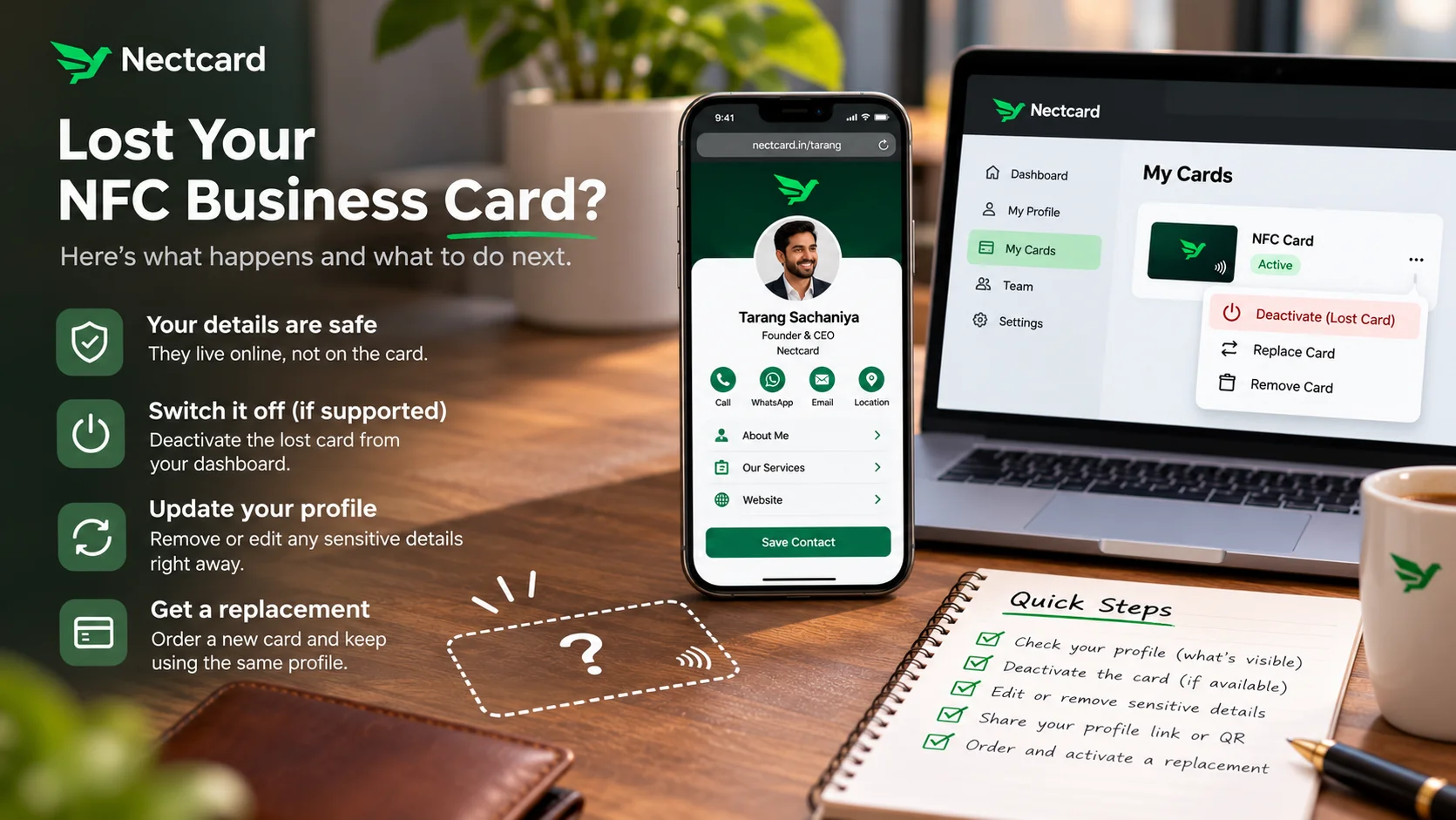
Don't panic. With most NFC business cards, your details aren't stored on the card itself. The card points to a profile that lives online, so losing it doesn't delete anything, and whoever finds it can only open the same public page you'd show anyone. What you can do next depends on whether your provider lets you switch off the lost card.
You reach for your wallet after a long day at an expo, and the card's gone. Maybe it slipped out in the auto, maybe it's under a stall table. Here's what actually happens, and a short list of things to do tonight.
What's on the card, and what isn't
An NFC business card usually carries a link. When a phone taps it, the phone opens that link in its browser and shows your profile. Your photo, numbers, brochure and socials sit on the profile page, not on the chip. That's why you can change your details without reprinting. More on this in how NFC business cards work.
Card makers say the same thing about lost cards. eCard NFC's help page says no data is lost when you replace a card, because the profile, public page and contacts stay intact. V1CE says your page stays the same and only the physical card changes.
Can you switch off a lost card?
This is where providers differ, and it depends on how the card was set up.
| How the card is set up | Can you stop the lost card? | What to do |
|---|---|---|
| Card points to a link managed by your provider, with a dashboard | Often yes. Some providers let you mark it lost so taps stop opening your profile | Look for a "lost card" or "deactivate" option, or ask support |
| Activating a new card replaces the old one | Yes, once the new card is linked | Order and activate the replacement quickly |
| Your own link or contact file written straight onto the chip | Usually no. HiHello, a competitor, notes such cards can't be remotely deactivated | Make sure the profile it opens shows nothing you'd regret |
eCard NFC is a good example of the first kind: you mark the card as lost in your dashboard, and scans stop redirecting to your profile. If you find it again, you switch it back on. V1CE is an example of the second: once you activate your new card and link it to your page, the old one is replaced.
What to do in the first hour
- Open your profile link on a phone that isn't logged in to your account. What you see is exactly what a finder sees.
- If your provider has a lost-card or deactivate option, use it now.
- If it doesn't, remove anything sensitive from the profile for now, such as a personal number or bank details. You can add them back later.
- Keep sharing in the meantime. Send your profile link on WhatsApp, or show its QR code from your phone.
- Order a replacement, reusing your design if your provider allows.
- When it arrives, activate it and tap it with both an iPhone and an Android phone before you hand it out.
Mistakes to avoid
- Changing your profile link. People who already saved it, or who scan your old cards, would hit a dead end. Keep the link and swap the card instead.
- Waiting weeks to replace it. You'll end up back on paper cards at the next event.
- Assuming the card can be switched off. Check with your provider before you need it, not after.
- Keeping UPI or bank details on your profile that you don't really use for payments.
If you manage cards for a team
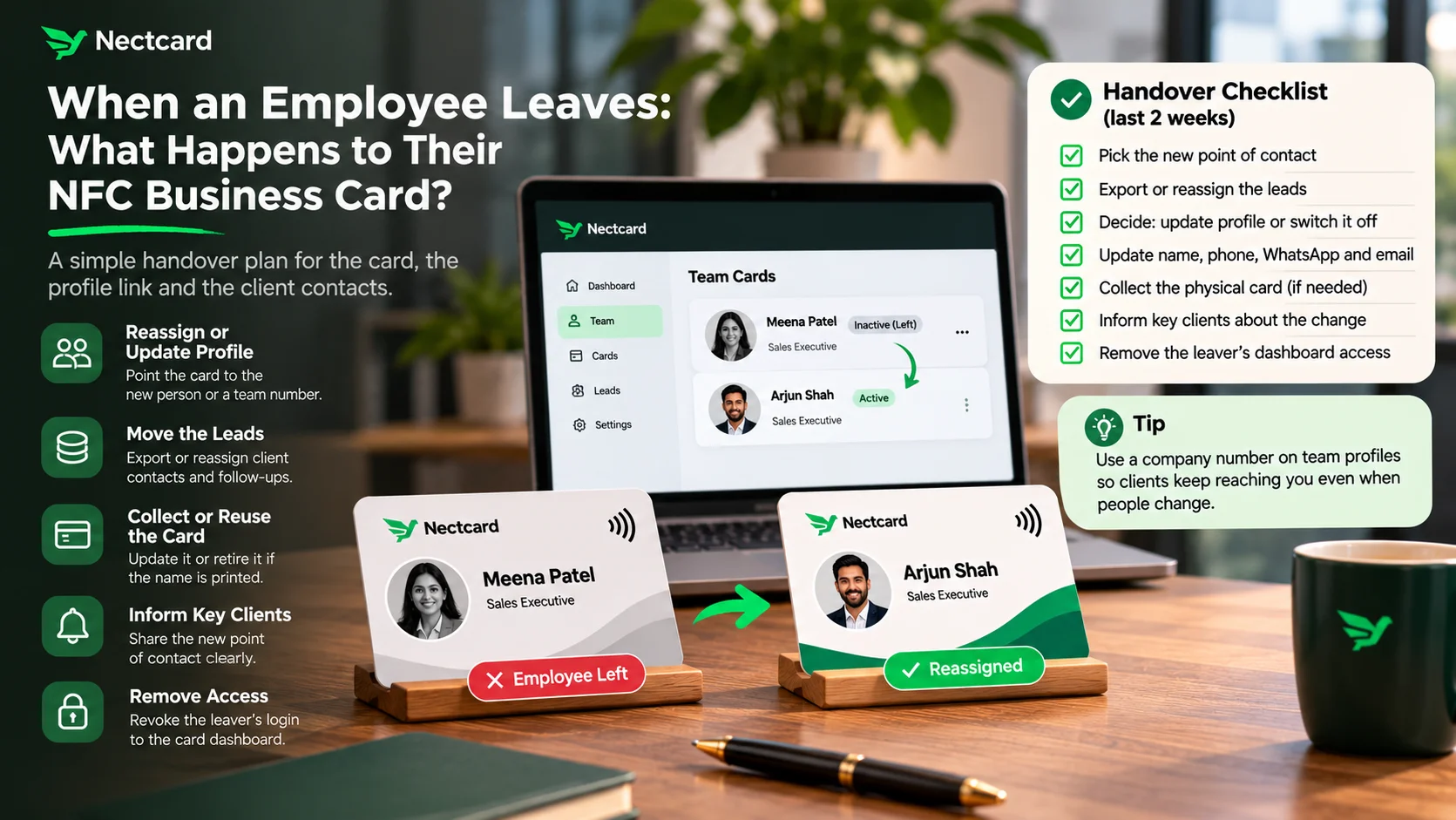
In a company, a lost card is an admin job. On Mobilo's team plans, for instance, only team administrators can issue replacement cards from the management dashboard. Whatever service you use, decide who handles lost cards and who switches off a card when someone leaves, so it doesn't fall between people. See NFC cards for teams for how team profiles work.
Who should act fastest
- Sales teams: a card that still points to a former employee's profile sends leads to the wrong person. Reassign or update it the same day.
- Real estate: you tap a lot of strangers at site visits. If your profile carries your personal number, swap it for your work WhatsApp until the old card is sorted.
- Doctors and clinics: keep the profile to clinic numbers and hours, so a lost card never gives out your personal mobile.
- Freelancers and consultants: if you added UPI details for quick payments, check they're business details only, then breathe easy.
How this works with Nectcard
A Nectcard card opens your hosted profile in the visitor's browser, with no app needed. Your details live on that profile, which you can edit as often as you like, so you can tidy it up straight away if a card goes missing. Every card also has a QR code backup. If you lose one, write to contact@priinteve.com.
Losing a card is annoying, but it isn't losing your contacts. Check what your profile shows, switch off the old card if you can, and get a new one tapping.
Need a new card?
Pick PVC, wood or metal. Each has a tap chip and a QR code backup.