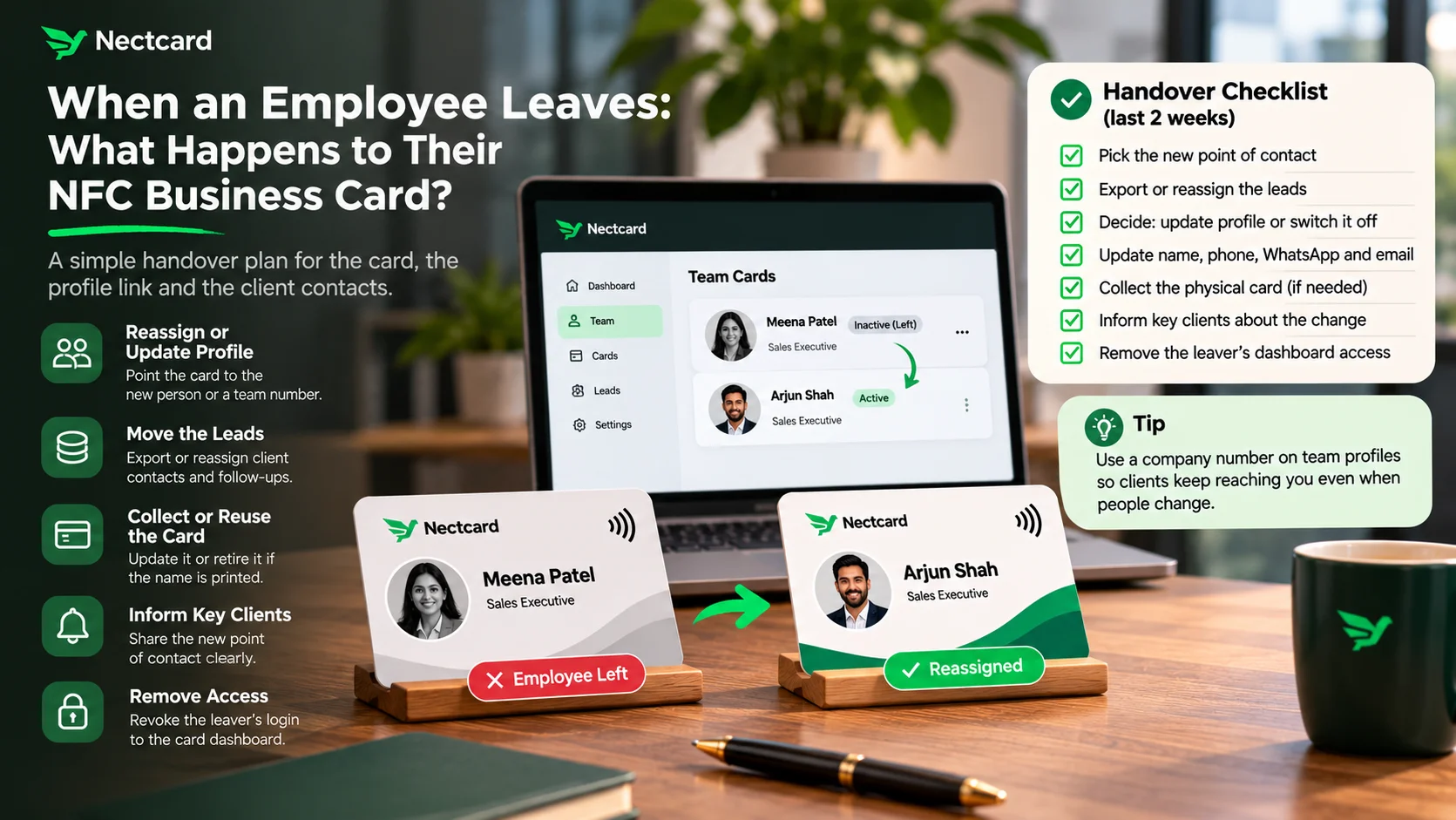
When an employee leaves, their NFC business card is only a small part of the problem. The bigger part is the profile link that clients have already saved and the leads that person collected. With most digital card setups you can either point the profile to a new person or switch it off, and you should decide who gets the leads before the last day, not after.
Paper cards never had this issue. Once you printed them, they were out of your hands. A tap card is different because it opens a profile you can still edit. That's useful here, but only if someone at your company actually owns the account.
What actually needs handing over
Think of it as three separate things. Each one needs its own decision.
- The physical card. It carries a link, not the person's whole profile. Read how NFC cards work if you want the detail.
- The profile behind the link. This is what clients see when they tap or scan, so it decides where their calls and WhatsApp messages end up.
- The contacts and leads. These are the people the employee met, plus any lead details they captured through the card or wrote down after meetings.
Reassign or switch off? How the main options compare
Card providers handle this differently, and their help pages don't all cover the same things. Here's what some of them say publicly. Treat it as a list of questions to put to your own provider, not a feature comparison.
| What their help page describes | What it means for you |
|---|---|
| V1CE: reassign the card to the new person and repoint it to their page, or ask support to deactivate the card and page | You can usually keep the same physical card for the replacement |
| Mobilo: an admin can re-assign a card, and the previous cardholder's information is removed from it | Old details shouldn't keep showing after reassignment |
| Tapni: unnamed cards can move from one employee to another, and a leaver's profile can then be deleted | Cards without a printed name are easier to reuse |
| Popl: admins can reassign leads in bulk to another team member (on certain plans) | Leads can stay with the company instead of leaving with the person |
| HiHello: once you transfer a card, you no longer have access to it | Decide carefully who the card goes to |
Notice what's missing. Some of these pages say nothing about what happens to the leaver's leads or data. If that matters to you, ask before you buy, not on someone's last day.
A handover checklist for the last two weeks
- Pick the new point of contact for each important client. If nobody is ready yet, name a manager as the interim contact.
- Export or reassign the leaver's leads to that person, and make sure meeting notes go into your shared sheet or CRM, not just their phone.
- Decide what the profile should do: show the replacement's name and number, show a general company number, or be switched off.
- Update the profile on the last day. Change the name, phone, WhatsApp and email together so nothing points to the old person.
- Collect the physical card if it can be reused. If it has the leaver's name printed on it, it's usually simpler to retire it.
- Tell key clients directly: the last day, the new contact, and who to call meanwhile. Keep it short and factual.
- Remove the leaver's login to the card dashboard and any other company tools on the same day.
The WhatsApp problem nobody plans for
In India a lot of client conversations happen on WhatsApp, often on the salesperson's own number. When that person leaves, the chat history and the relationship can walk out with them. A digital card can't fix that on its own. What helps is a simple rule from day one: client talks go through company channels, and key decisions get logged where the team can see them.
- Don't wait for the resignation letter to ask where the leads are kept.
- Don't leave the old profile live with a number that nobody answers.
- Don't delete the profile before you've exported or reassigned the leads.
- Don't forget dashboard logins. Access should end on the last day.
How this plays out in different industries
- Sales teams: leads are the whole point, so reassign them to the replacement before the leaver's last week and brief the new rep on any promised follow-ups.
- Real estate: buyers often call the number they got at a site visit months ago. Switch the profile to the person now handling that project, not just a general office number.
- Doctors and clinics: when a consultant moves on, point the profile to the clinic's appointment number so patients don't keep calling someone who's no longer there.
- Restaurants and retail: staff change often, so give floor staff unnamed or store-level cards that show the outlet's details rather than a person's.
Questions to ask before you order team cards
- Who owns the account: the company or each employee?
- Can a card be reassigned to a new person, or does it need replacing?
- Can leads be exported or moved to another team member?
- Can you switch a profile off yourself, or do you need to contact support?
- Should names be printed on the cards, or are unnamed cards better for your team?
With Nectcard, team cards share the same brand design and each person gets a separate profile that can be edited any time, so the card itself never needs reprinting just because details change. Team setups are quoted as a custom plan, and you can ask how leavers are handled at contact@priinteve.com.
Setting up cards for your team?
See how team cards work, with one brand design and a separate profile for each person.
The short version
Plan the handover before the last day. Move the leads, update or switch off the profile, collect the card, and tell clients who to call now. If you sort out account ownership when you first order team cards, a resignation becomes a ten-minute job instead of a scramble.