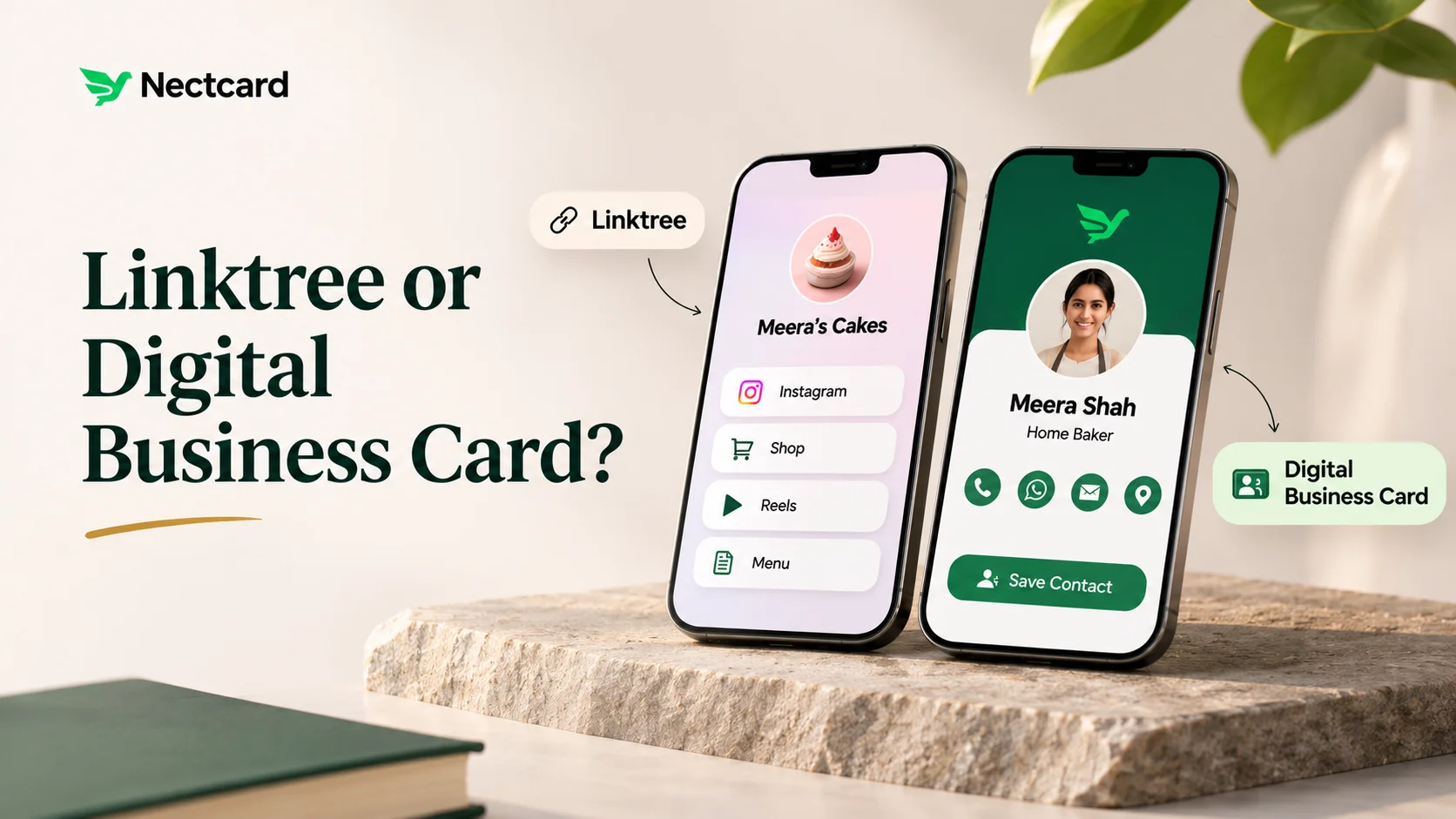
If people mostly find you on Instagram and you need one link for your bio, a link-in-bio page like Linktree does that job well. If you meet people in person and want them to save your number, a digital business card is the better fit, because it's built around your contact details. Plenty of people use both and link one to the other.
What each one is actually built for
Instagram and most other social apps give you one link slot in your bio. Link-in-bio tools exist to turn that one slot into a menu of links. Mobilo's comparison page calls Linktree a link aggregator that "was built to solve the one-link problem". That's a fair way to put it.
A digital business card starts from a different question: who are you, and how does someone reach you? So the page leads with your name, photo, phone, WhatsApp, email and location, with a way to save you to contacts. If you're unsure what belongs on one, there's a 12-point checklist here.
| Link-in-bio page (Linktree-style) | Digital business card | |
|---|---|---|
| Main job | Send followers to your content, shop or latest post | Get your contact details saved and give people ways to reach you |
| Where it's shared | Instagram, YouTube or X bio | In person (tap or QR), WhatsApp, email signature, printed QR |
| Saving your contact | Not the main purpose. Some tools add a contact block | The core feature |
| Who's looking | Followers and strangers scrolling | People you've met or are about to work with |
| Your own domain | Linktree's help centre says it doesn't support custom domains | Depends on the provider |
Where a link page falls short when you meet someone
Picture yourself at an expo stall. A visitor says, "Send me your details." If you share a page of eight buttons, they now have to hunt for your number, open it, and save it by hand. Most won't. Someone you've just met doesn't want your latest reel. They want you in their phone so they can call or WhatsApp you later.
- Your phone number usually isn't the first thing on the page, so the most useful detail gets buried.
- Saving a contact from a link page often means an extra step. One link-in-bio tool, Campsite, does offer a save-to-contacts option, which shows it can be done, but it isn't what these pages are built around.
- Campsite's help page also notes that Instagram's and TikTok's in-app browsers block the contact file from opening, so visitors are asked to open the page in Safari instead. Keep that in mind wherever you share a contact link inside a social app.
- On Linktree, your page stays on the linktr.ee address. Its help centre says it doesn't support custom domains.
Where a digital card falls short
Let's be fair to Linktree too. If you're a creator with ten things to promote every month, a card profile that leads with your phone number isn't what your Instagram followers need. Most of them don't want to call you. They want the new video, the course page or the shop. Some link-in-bio tools also add features for that audience. Even Mobilo's own comparison notes that tools like Milkshake and Beacons offer email capture.
How to use both without confusing people
- Make your digital card your contact hub: phone, WhatsApp, email, location and a save-contact button.
- Keep your link-in-bio page for social media if you like it. Add your card as one of the top buttons, labelled something plain like "Save my number".
- Use the card, not the link page, wherever you meet people: an NFC tap or the QR on your card. Here's how the tap and QR work.
- Put the card link in your email signature and WhatsApp messages. That way every email and chat carries your contact.
- Use the same phone number and email on both. Two different numbers is how leads go missing.
Which one suits your work?
- Creators and coaches: keep the link page for your followers. Use the card at workshops and brand meetings, where the other person needs your number, not your latest post.
- Freelancers and consultants: clients want to save you and see your work. A card profile with your services and a PDF brochure does both in one place.
- Restaurants and retail: customers ask the same things every day, like your timings, location and WhatsApp number. A card profile with business hours and a map link answers them faster than a list of buttons.
- Real estate: at a site visit, the buyer should leave with your number saved. A gallery of current listings on the same page helps them remember which agent you were.
- Sales teams: one shared brand design with a separate profile per person is easier to keep consistent than every rep building their own link page.
Mistakes to avoid
- Printing your link-in-bio address on a visiting card when what people need is your phone number.
- Burying your contact details as the eighth button on the page.
- Never testing your links inside the Instagram app.
- Letting your link page and your card show different numbers or emails.
Make your contact the first thing people see
A Nectcard profile has a Save contact button, opens in the visitor's browser without an app, and works by NFC tap or the QR printed on every card.
So, Linktree or a digital card? It depends who's on the other side. Followers want your links. People you've met want your number. Give each the page that suits them, and link the two.