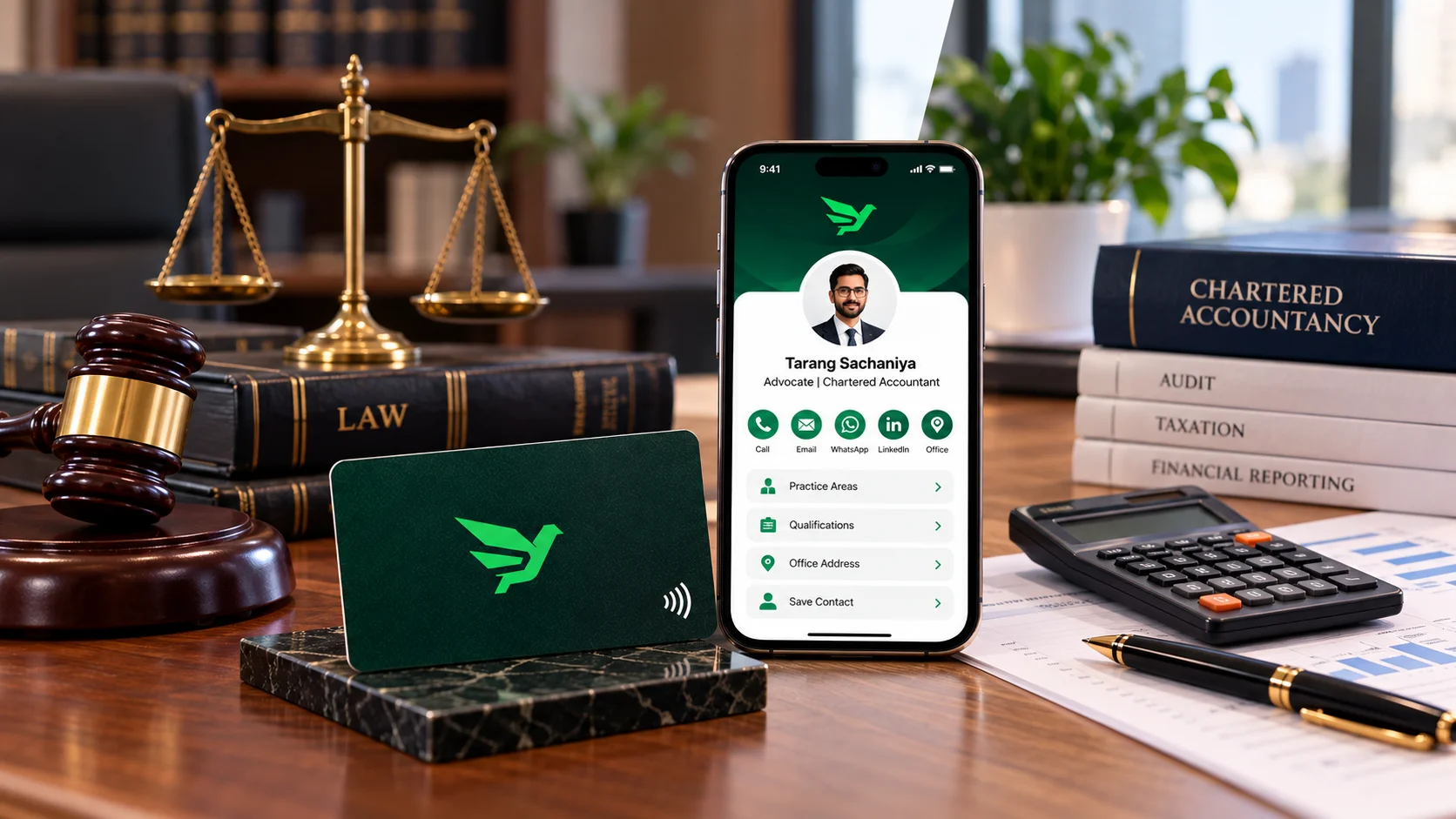
Yes, an advocate or a practising chartered accountant in India can use a digital or NFC visiting card. The catch is what goes on it. Both professions have rules against soliciting work, so the printed card and the profile it opens should carry only the plain, factual details your Bar Council or ICAI already allows, and nothing that reads like an advertisement.
Why your card is different from everyone else's
A real estate agent can put "Top seller in Satellite" on a card and nobody blinks. You can't. For advocates, Rule 36 of the Bar Council of India Rules says you shouldn't solicit work or advertise, directly or indirectly. For CAs in practice, ICAI's advertisement guidelines list exactly what a write-up may contain and treat anything beyond that list as off limits.
A digital card doesn't change those rules. It just gives you more space to break them by accident, because a profile has room for photos, galleries, reviews and service lists. So the job is mostly about switching things off.
If you're an advocate
Rule 36 has two parts that matter here. The first is about signboards, name plates and stationery: they shouldn't say you hold or held a Bar Council or association post, that you specialise in a type of work, or that you were a Judge or Advocate General. A visiting card is stationery in everyday terms, so keep the printed side plain.
The second part, a 2008 proviso, lets advocates put certain details on a website: name, address, contact details, professional and academic qualifications, and areas of practice. Anything beyond the approved particulars is treated as a Rule 36 violation and can lead to misconduct proceedings under Section 35 of the Advocates Act, 1961.
Online listings are a live issue too. In July 2024 the Madras High Court directed the Bar Council of India to act against advocates and online platforms advertising legal services, including listings with labels like "top advocate". A challenge to that judgment reached the Supreme Court, which issued notice in November 2024. Until that settles, it's sensible to stay well inside the lines.
What that means for your tap profile
- Keep: name, enrolment details if you want them, chamber or office address, phone, email, qualifications (LLB, LLM and so on), and a plain list of areas of practice.
- Leave out: words like "specialist", "expert", "best" or "top", ratings, client reviews, case wins, and photos with clients or judges.
- Be careful with: association posts on the printed card, and any section that lists "services" with prices or offers.
- Hand it over when someone asks for your card, the way you would with paper. Tapping it at strangers in a court corridor looks a lot like soliciting.
If you're a chartered accountant in practice
ICAI's 2008 advertisement guidelines for members in practice list what a write-up may include. For an individual that's your name with the designation "Chartered Accountant", membership number, qualifications, languages, contact details, professional address, website, email, the CA logo, a passport-size photograph and the services you provide. For a firm it adds things like the firm registration number, year of establishment, working hours and partner particulars.
The same guidelines rule out claims of superiority, testimonials, names of past or present clients, and achievements or awards. A few specific decisions are worth knowing before you design a card:
- Photograph on the printed card: ICAI's Committee on Ethical Standards said in 2006 that CAs in practice can't print their photograph on visiting cards, even though a passport-size photo is allowed on a website.
- QR code on the card: an Ethical Standards Board decision, as reported by tax publications, allows it as long as the code doesn't lead to anything you couldn't print on the card itself.
- Vision and values: a firm can't print its vision and values on visiting cards, according to the same set of reported decisions.
Put those together and the safe reading is simple. The tap or QR link should open a profile that holds only the permitted particulars. If you wouldn't print it on the card, don't put it behind the chip either.
Card and profile, side by side
| Item | Advocate | CA in practice |
|---|---|---|
| Name, phone, email, office address | Fine | Fine |
| Qualifications | Fine | Fine |
| Areas of practice or services | Fine on the profile; avoid "specialist" on the printed card | Fine (services provided) |
| Photo on the printed card | Check with your Bar Council | Not permitted (ICAI, 2006) |
| Passport-size photo on the profile | Not in the website list; check first | Allowed on websites |
| Client names, reviews, testimonials | Avoid | Not permitted |
| Awards, rankings, "top" or "best" | Avoid | Not permitted |
| QR code on the card | Keep it to permitted details | Allowed if contents are permitted |
How to set it up without getting into trouble
- Write down the permitted list for your profession first, from the sections above or your council's latest circular.
- Design the printed side with name, designation, qualifications and contact details only. CAs, leave the photo off.
- Build the profile with the same details. Turn off or leave empty any gallery, reviews, products or offers sections.
- Skip payment links on the public profile unless you're sure your rules allow them. You can always share bank details on an invoice.
- Test it on a colleague's iPhone and Android phone, and scan the QR too, so you know exactly what a client will see.
- Look at it again whenever your council issues new guidance. You can edit the profile without reprinting the card.
Who else this applies to
- Solo advocates at district courts: a plain card with your chamber address and phone, handed over on request, covers most of what you need. The profile mainly saves people copying your number by hand.
- Law firms: if every associate gets a card, agree on one approved profile template so nobody adds "specialist" on their own. The teams page explains how shared designs with separate profiles work.
- CA firms: put the firm registration number on the profile and keep partner details to what the guidelines list. Don't let a well-meaning junior add client logos.
- Tax and business consultants who aren't bound by these rules have more room, but the same plain style still reads as trustworthy. See cards for freelancers and consultants.
- Doctors face their own advertising rules from their regulator, which this article doesn't cover. Our doctors and clinics page is the place to start.
Mistakes to avoid
- Copying a template made for salespeople, with big claims and a reviews section.
- Adding a photo to the printed card if you're a CA in practice.
- Listing yourself as a "specialist" on the printed side if you're an advocate.
- Linking the card to a personal Instagram full of client selfies.
- Forgetting the profile exists. It's still you, even if nobody sees it until they tap.
If you're new to how the tap works, how NFC business cards work covers the basics, and what to put on a digital business card is a good checklist, as long as you skip the items your rules don't allow. Every Nectcard has a QR code backup, so clients with older phones can still scan it.
The short version
A digital card is fine for advocates and CAs. Treat the profile the same way you treat your letterhead: only the details your council allows, no claims, no client names. Do that and the card is simply a faster way to share a phone number.
Want a plain, professional card?
Plastic, wood or metal, each with tap and a QR backup, and a profile you can keep as simple as your rules need.